• トップ
  • 広告掲載
  • Terms of Service
  • プライバシーポリシー
  • 採用情報
  • サポートセンター
  • Help
  • HIV/薬物

Help

A collection of Q&As to help you get the most out of 9monsters. Start with "Basic Features" to get oriented.

Basic Features

  1. Breeding
  2. Favorites
  3. Nearby (Location)
  4. Howling
  5. Search
  6. Popular Users
  7. Camouflage
  8. Teleport
  9. Search by City
  10. Search on Map
  11. Filter
  12. Match
  13. Profile
  14. Home
  15. Footprints
  16. Like!
  17. Talk
  18. Notifications
  19. Notification Settings
  20. Album
  21. Shadow
  22. In-App Purchases
  23. Calls
  24. Information
  25. Media
  26. Block

Glossary

  1. Attribute
  2. Attribute Level
  3. Breeder
  4. Breeder Level
  5. Purity
  6. Emblem
  7. Event

Account & Login

  1. I forgot my password and can't log in
  2. I forgot which email address I registered with
  3. I'm getting a new phone. Will my data carry over?
  4. Is my in-app data stored forever?

Premium & In-App Purchases

  1. Premium
  2. Will my subscription carry over if I switch phones?

Other

  1. About maintenance
  2. What if I find a bug?
  3. I want to delete my account. What should I do?

Basic Features

Breeding

Breeding is a simple feature. Just tap the Breeding button on the profile of someone you're interested in, and you'll start breeding them.
As you breed different people, you may start noticing a "type" you didn't even know you had. Note that breeding someone raises their Attribute Level, so it's an action that's generally well received by other users.
There's a limit to how many people you can register for Breeding, and once you've bred someone, you can't remove them yourself (unless they delete their account or get blocked). Also, who you're breeding is visible to other users.

Features unlocked by leveling up

Leveling up unlocks new features. More will be added and changed over time.
Level Feature
1 Filter users by Attribute.
2 Filter users by their favorite Attribute.
3 Purity is shown on your Emblem.
10 Search your Breeding list and Favorites by name.
15 You become eligible for the Popular Users drawing.
22 You become eligible for the 2nd Popular Users drawing.
30 Filter users by their level. You become eligible for the 3rd Popular Users drawing.
36 You become eligible for the 4th Popular Users drawing.
40 View your Attribute Breakdown.
42 You become eligible for the 5th Popular Users drawing.
48 You become eligible for the 6th Popular Users drawing.
50 ???
54 You become eligible for the 7th Popular Users drawing.
60 You become eligible for the 8th Popular Users drawing.
61 You become eligible for the 9th Popular Users drawing.
62 You become eligible for the 10th Popular Users drawing.
63 You become eligible for the 11th Popular Users drawing.
64 You become eligible for the 12th Popular Users drawing.
65 You become eligible for the 13th Popular Users drawing.
70 ???
80 ???
90 ???
*Available features may change without notice

Breeding Slots

To breed someone, you need an open Breeding Slot.
Breeding Slots increase the more you use the app.
If you run out, you won't be able to breed anyone else, so purchase Premium or watch a reward ad to earn more Breeding Slots when you need them.

Favorites

There's no limit to how many people you can add to Favorites, and you can remove them anytime you like. Adding someone to Favorites sends them a notification, but your list is never shown to other users. By the way, you can check who has added you to their Favorites using Premium.
Give Favorites a try when you want to save someone you're "a little curious about," or when you want to keep an eye on someone quietly.

Nearby (Location)

This feature shows profiles of nearby users, sorted by distance from you. Special event pages, like club events, may also appear here.

Howling

Howling lets you broadcast a call to people nearby based on what you're in the mood for right now. Send it out however you're feeling in the moment.
Want to meet up now Want to meet up now
Want to grab tea Want to grab tea
Want to grab a meal Want to grab a meal
Want to message Want to message
Feeling chatty Feeling chatty
Want to call Want to call

Search

Search lets you look for users using a keyword you enter.
Try searching by hobbies or other interests.

Popular Users

This feature shows a daily list of Popular Users.
There are two types of Popular Users: "Popular Users Worldwide" and "Popular Users in Your Country," each with different requirements to appear. Appearing as a Popular User in Your Country has no effect on how many times you appear as a Popular User Worldwide.
Popular Users are selected at random each day. If you'd rather not be featured, turn off "Popular Users Participation" in the menu's feature settings.

Popular Users Worldwide

Occurrence Attribute Level Time Elapsed Users Shown
1st 15 or higher - 10
2nd 22 or higher 6+ months since last appearance 5
3rd 30 or higher 6+ months since last appearance 3
4th 36 or higher 6+ months since last appearance 1
5th 42 or higher 6+ months since last appearance 1
6th 48 or higher 6+ months since last appearance 1
7th 54 or higher 6+ months since last appearance 1
8th 60 or higher 6+ months since last appearance 1
9th 61 or higher 6+ months since last appearance 1
10th 62 or higher 6+ months since last appearance 1
11th 63 or higher 6+ months since last appearance 1
12th 64 or higher 6+ months since last appearance 1
13th 65 or higher 6+ months since last appearance 1
*Note that these rules may change in the future.

Users are ranked by the difference between their Attribute Level and Breeder Level, largest difference first. If there's a tie, the user with the higher Attribute Level ranks higher.

Popular User Priority Ticket

The Popular User Priority Ticket is a consumable item you can buy with an in-app purchase. Using it lets you appear as a Popular User two days later.
However, it only works if you already meet the requirements to appear. For example, you can't use a ticket to appear if your Attribute Level hasn't reached 15 yet, so please keep that in mind.

Popular Users in Your Country

These are the requirements to appear as a Popular User in Your Country.
Attribute Level Time Elapsed Users Shown
5 or higher 30+ days since last appearance 10
There's no limit on how many times you can appear — you'll always have another chance.

Camouflage

Other users can normally see your rough location, but with Camouflage you can appear to be a bit farther from your actual location. It's a great way to protect your privacy when you don't want people nearby to know exactly where you are, but still don't want to give up on meeting people.

Teleport

This feature lets you set and lock your location somewhere other than where you actually are. Set your upcoming travel destination in advance to boost your chances of meeting people once you arrive. While teleporting, the users shown in Nearby (Location) will also switch to people around your teleport destination.

Search by City

Just specify a city you'd like to visit, and you can browse a list of users there. It's great for checking out people in an area you're curious about, or for scoping things out before deciding where to Teleport.

Search on Map

Just pick a spot on the map, and you can browse a list of users nearby. It's handy when you want to check a specific area that's too precise to pin down by city name.

Filter

A feature for narrowing down who you see in Location and Match. You can customize which profile fields are used as narrowing criteria.

Match

Match is an intuitive way to meet people — just answer "YES" or "NO" to the users shown to you. When you both choose "YES," it's a match, and you can start exchanging messages from there. You can check your past ratings (your Match choice history) anytime from the button in the bottom right of the screen, and it also supports Filter. That said, regardless of your Filter, anyone who has rated you "YES" will still be shown to you preferentially.

Profile

This screen lets you check out someone's photos, bio, Attribute, and more. From here you can take action toward someone you're interested in, like Breeding, adding to Favorites, sending a Like, Talk, or calling.
The glowing circle in the top-left corner of a profile photo shows that user's login status. A pink circle means they logged in within the last hour, and an orange circle means they logged in within the last day.

Home

Home shows your own photo and profile.
If you've purchased Premium, it will also show a section with users recommended for you.

Footprints

Viewing someone's profile leaves a Footprint on it. This creates a record of who has looked at your own profile.
Go check out the profiles of people who left you a Footprint, and if you're interested, try taking some action.
With Premium, you can also use a feature that lets you erase your own Footprints.

Like!

Once you find someone you're interested in, try taking action from their profile. A Like is the easiest, most casual first move you can make. If someone catches your interest even a little, go ahead and send a Like.

Talk

This feature lets you chat back and forth with another user.

Notifications

Check all your action notifications, Talk, and Footprints from other users in one place.

Notification Settings

You can choose between push notifications and email notifications, and turn each type of notification on or off individually.
On Android, you can only manage notification types individually through your OS's settings app.

Album

Upload private photos ahead of time from the Album section in the menu, and show them only to people whose requests you've approved. Users who have set up an Album will show a blurred thumbnail with a lock icon next to their profile photo. Tap that thumbnail to send a request, and once it's approved, the lock opens and you can view all of their Album photos. You can check the list of people you're showing your Album to, and the people whose Albums you can see, from the Album section in the menu.

Shadow

Normally you can only set one location in the app, but if you purchase a Shadow, you can also appear from a second location. Since you'll appear in two places in Nearby (Location) at once, it simply doubles your chances of being seen by other users — and of getting more actions.

In-App Purchases

This is the umbrella term for in-app purchases like Premium and Shadow. Premium and Shadow are sold as monthly subscriptions, while the Popular User Priority Ticket is sold as a consumable item that's used up each time you purchase it.

Calls

Use the call button on a profile or on the Talk screen to make free video or voice calls.

Making a call

When you want to call someone, tap the call button on their profile or on the Talk screen to call them with one tap.

Blocking calls from a specific person

If you want to block calls from a specific person, you can do so from the call button on their profile or on the Talk screen. "Block calls from this user": this stops them from being able to call you. "Cancel call block": this lets them call you again.
The call feature is currently in beta, so it may sometimes be unstable. Thank you for your understanding.
- It may be temporarily paused without notice for maintenance or similar reasons. If you can't connect, please wait a while and try again.
- If it will be paused for an extended period, we'll announce it via Official X.
- Depending on your OS version, app version, or settings, you may be unable to make calls.
- The call feature itself is free. However, you'll need to pay your mobile carrier for data charges. Depending on your plan, call duration could affect your data costs, so we recommend an unlimited data plan.
*Because CallKit is restricted within mainland China, the call feature is not available on iOS devices there. Thank you for your understanding.

Information

Shops, organizations, and clubs are listed in order of distance from you.

Media

Check out YouTube channel videos and news updates.

Block

Once you block someone, you won't be able to see each other at all.

Glossary

Attribute

You start out as an "Egg" with no Attribute assigned yet. Your Attribute is determined later on, based on which Attribute the Breeders who breed you most belong to.
Egg Egg

↓

Bulky Bison Bulky Bison
Wild Bear Wild Bear
Chubby Piggy Chubby Piggy
Muscle Wolf Muscle Wolf
Sporty Panther Sporty Panther
Athlete Kong Athlete Kong
Lovely Dog Lovely Dog
Cool Monkey Cool Monkey
Slim Cat Slim Cat

Attribute Level

This level rises as other users breed you. Leveling up unlocks more features and can help you meet the requirements to appear as a Popular User.

Breeder

A Breeder is someone who has bred you. You can check who your Breeders are from the Breeding section in the menu.

Breeder Level

This level rises the more users you breed. It's also used when calculating the ranking order for Popular Users.

Purity

A number showing how strongly your Attribute shows through. It's displayed on your Emblem on the Home screen.

Emblem

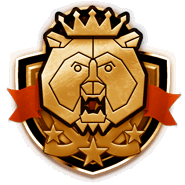
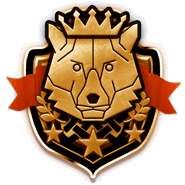
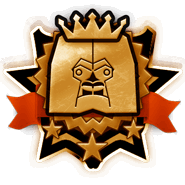
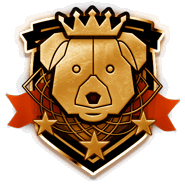
A badge shown on the Home screen that represents your Attribute and Level. Once you reach Level 3, your Purity is shown alongside it too.

Event

A limited-time special program, such as a Special Matching event. While it's running, you can join in from its dedicated event page.

Account & Login

I forgot my password and can't log in

Request a password reset. On the login screen, tap "Forgot your password?" and enter your email address to receive a password reset email.

I forgot which email address I registered with

You can confirm your registered email address by requesting a password reset. Try entering the email address you normally use and submitting the request.
If you receive the reset email at that address, it means an account is registered under it.

I'm getting a new phone. Will my data carry over?

Yes, it will. 9monsters stores your data on our servers under your registered email address and password, so as long as you enter the same email address and password on your new phone, you can keep using 9monsters right where you left off.
Before switching phones, make sure you have your current password written down somewhere, and update your email address afterward if it changes. Both can be updated from Profile Settings in the menu.
*If you're using an email address provided by your mobile carrier, you'll lose access to it if you switch carriers, so we recommend switching to a Gmail address.

Is my in-app data stored forever?

Your registration data is kept indefinitely unless you delete your account. However, Footprints and messages are only kept for a limited time, and data past that period is deleted.
Footprints are kept for up to 1 month, and messages for up to 1 year. Data past its retention period may remain for a while, but it's removed during periodic data cleanup.

Premium & In-App Purchases

Premium

Purchasing Premium unlocks the following features.

Unsend messages

Take back a message you sent by mistake. It's easy — just long-press the message and choose "Unsend," or tap the × next to the message.

Recommended users on Home

A "Recommended for You" section appears at the very bottom of your Home screen.

Similar users on other profiles

A list of "Users similar to this person" appears at the very bottom of other users' profiles.

Search unvisited users

Filter results to show only users you haven't visited yet.

Favorites follower list

See who has added you to their Favorites.

See who's Breeding or Favoriting you across every list

Users who are Breeding you are shown with a red heart icon and a red border on their profile photo. Users who have added you to Favorites are shown with a yellow star icon and a yellow border.

Extra Breeding Slots

30 additional Breeding Slots are added on the 1st of every month.

Unlimited Match

There's no longer a limit on how many times you can use Match — use it as much as you like.

Target Match

Send a Match request directly to a specific person.

Delete your own Footprints

Clear your Footprints so you can check out other people's profiles without them knowing.

Block list

View a list of users you've blocked, and unblock them individually.

Longer Footprint history

Keep a full 3 months of Footprints on hand.

Ad-free

Hide ads within the app. Manage this from the menu's feature settings. *Notices shown on startup will always appear at least once. Premium users can dismiss them for good with the "Don't show again" button. *This does not include the Special Matching event page.

Your Attribute Breakdown

See the percentage breakdown of your Attributes (e.g. 40% Wild Bear, 30% Muscle Wolf, 20% Athlete Kong). This is a perk available only to Level 40+ users and Premium users.

Edit Match ratings

Go back and edit your past ratings. *You can't change the rating for someone you've already matched with.

Partner's Breeding Ranking

You can see which Attribute a user breeds the most, right on their profile.

Narrow Down by Login/Registration Time in Location

The following conditions are added to Filter.
・Logged in within the last hour
・Registered within the last week
Users who logged in within the last hour are more likely to reply to your messages.

Pin Conversations

Pinning a conversation keeps it fixed at the top of your list. Pin the people you talk with most so they never get buried.

Will my subscription carry over if I switch phones?

If you're switching from Android to Android or iPhone to iPhone, your subscription will carry over automatically as long as you keep using the same purchasing account.
If you want to switch your subscription between the iOS and Android versions, first cancel your subscription on the app where you originally subscribed, then subscribe again on the app you're switching to. On both platforms, the billing date is based on your original subscription date. Since overlapping subscription periods can't be refunded on a prorated basis when switching, please check both subscription periods before proceeding.
You can find out how to cancel your subscription from the link at the bottom of the in-app purchase page.

Other

About maintenance

Maintenance may be performed every Tuesday from 15:00 to 16:00. The app remains usable during this time. If maintenance will make the app unavailable, we announce it via Official X, so please follow us there.

What if I find a bug?

If you find a bug, we're sorry for the trouble, but please let us know via Contact Form.

I want to delete my account. What should I do?

You can delete your account here.
  • 広告掲載
  • Terms of Service
  • プライバシーポリシー
  • 採用情報
  • 特定商取引に基づく表記
  • サポートセンター
  • Help
  • HIV/薬物
  • 日本語
  • English
  • 한국어
  • 简体中文
  • 繁體中文
Follow @NineMonsters
© 9monsters 2011 - 2026